Supports most chess platforms
Chess.com and Lichess, connected directly — plus Noctie.ai, Chessiverse, and ChessDojo via ChessConnect.

The face-to-face feel for your online chess.
IvoChess Clock is a small e-paper clock that shows your live chess.com or Lichess game status in real time — clocks, moves, and result, right next to your connected board. No app to babysit, no LCD/OLED screen to glance at. Just the board and the e-paper clock.
Chess.com and Lichess, connected directly — plus Noctie.ai, Chessiverse, and ChessDojo via ChessConnect.
Useful if you already bridge a physical board through ChessConnect. Pick "DGT3000 BLE Gateway" as the clock type, and IvoChess Clock shows up over Bluetooth — no Wi-Fi login needed on the device. Shows White/Black and the running clocks; for names and ratings, connect chess.com or Lichess directly.

IvoChess Clock doesn't pair with a physical board directly — it watches the online game on chess.com or Lichess (or, via ChessConnect, the same game a board is already feeding into one of those sites). So it sits right alongside any board that gets your moves onto chess.com or Lichess, whichever way that happens to work.

Air, Air+, Pro, Evo — Bluetooth, connects to chess.com directly or via ChessConnect.

Pegasus, e-Board, Smart Board — via chess.com's DGT Live Chess software, Lichess's Board API, or ChessConnect.

eONE, The King Performance, Chess Genius Exclusive, and other boards paired with the ChessLink module — via ChessConnect or Lichess's Board API.

All Certabo boards — an open protocol, supported by both Lichess's Board API and ChessConnect.

All TabuTronic boards, including Cerno — via ChessConnect.

ChessUp and ChessUp 2 — via ChessConnect.

Pro and NEO (with the BillyGate adapter) — via ChessConnect.

Sensory Board — via ChessConnect.

Supported via ChessConnect.
Supported via ChessConnect.
Compiled from each manufacturer's and platform's published compatibility info as of August 2026 — board support tends to expand over time, so if yours isn't listed here, it's worth checking chess.com, Lichess, or ChessConnect directly, since IvoChess Clock will work alongside it either way.
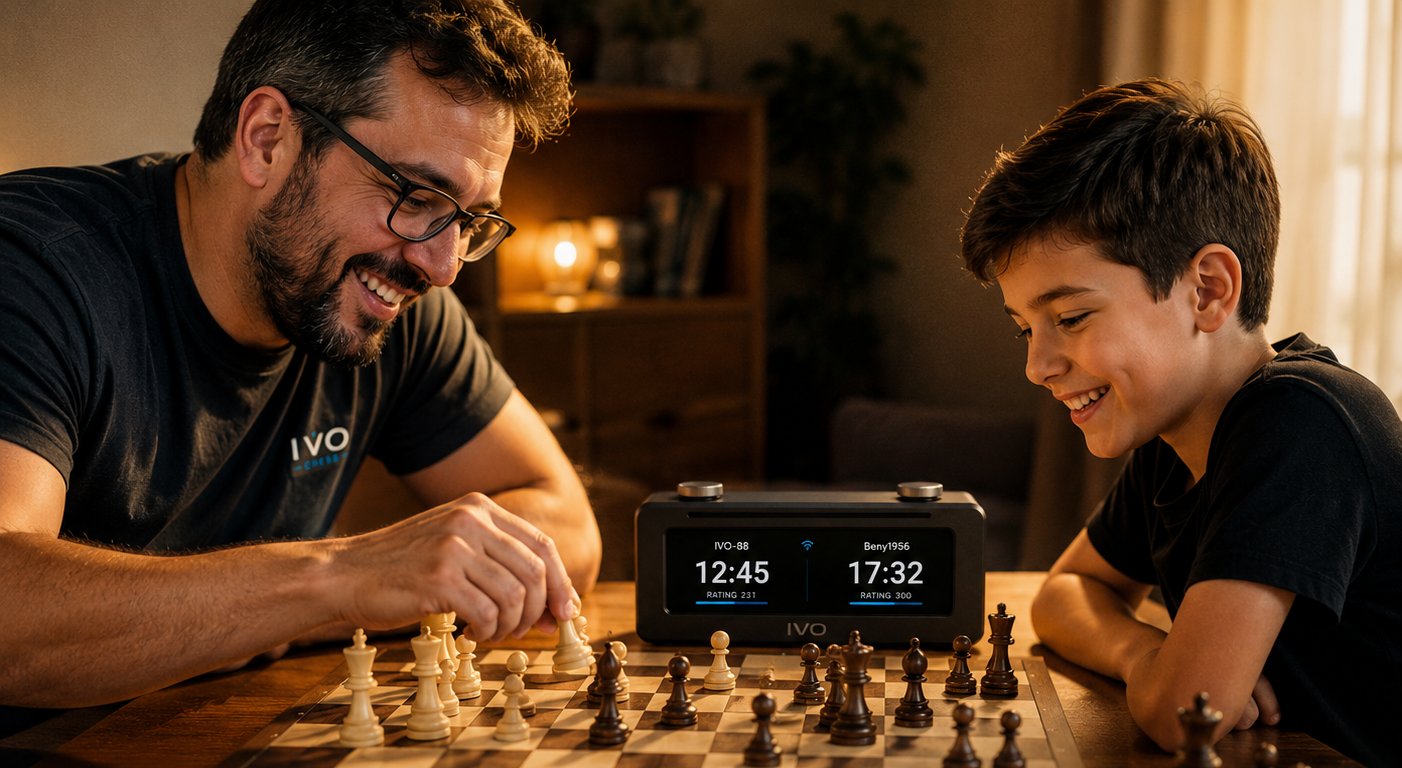
My son plays too much — video games, TV, YouTube, the usual pull of every screen in the house. Chess became my way of nudging him toward something better: it rewards patience, it's deep enough to keep growing into, and it's still just a game.
I'm honestly not a strong player myself, so playing only against me was never going to take him very far. Online play matters — it's where he finds real opponents at his own level and actually improves. Which put us right back where we started: to get better at chess, he needed to spend more time on a computer or a phone.
I'd already gotten him a Chessnut Air, a physical board that mirrors every move to chess.com, so at least the game itself happens with real pieces on a real board. What was still missing was the clock — something to show the opponent's name and rating, and both players' time, without pulling a phone or a laptop back into the picture.
So I built one, and designed it around an e-paper display on purpose. It doesn't glow, doesn't refresh, doesn't look or feel like one more screen competing for his attention — it just quietly shows what's happening in the game, the way a real clock would.
— ivolanski
IvoChess Clock isn't tied to any particular board, app, or accessory. It talks directly to chess.com's or Lichess's own servers, independently of everything else at the table — so it simply shows up next to whatever setup you already have.
IvoChess Clock is a standalone device — no computer or phone needed to run it. That makes it the perfect companion for a connected board like the Chessnut Air, or any other brand: it doesn't pair with the board itself, it just watches your chess.com or Lichess game and shows up right alongside it.
No app in the middle, no phone required once it's set up. The clock connects straight to chess.com's or Lichess's own servers over Wi-Fi and streams the game live, the same way the website does.
Runs for hours on a small internal battery, or leave it on USB power indefinitely — the on/off switch only controls the battery, so it's always on while plugged in.
A quick glance tells you whose move it is, whether you won or lost, or if Wi-Fi/battery need attention. Colors and — new in v2.0 — the number of LEDs are both configurable from the webadmin, with a "Test" button to preview them.
A built-in webadmin page (no app to install) handles Wi-Fi, your chess.com or Lichess connection, LED colors, language, and more — reachable from your phone or laptop.
New in v2.0: with ChessConnect, tap the top button after moving on the board to actually send it — no accidental sends from just adjusting pieces, and it finally feels like tapping a real analog chess clock. Connected directly to chess.com or Lichess, the same button wakes the clock back up after it idles, no unplugging needed. More in the webadmin guide →
New in v2.0: a small speaker plays a short tone for game events — your move, opponent's move, check, game over. Mute any of them individually, or drop in your own melody from the webadmin, RTTTL ringtones included. More in the webadmin guide →
Every line of firmware and every design file is public on GitHub. Build it, modify it, understand exactly what it does — nothing hidden.
The e-paper display stays readable in any light and holds its image with no power draw between updates. Here's what's on it.
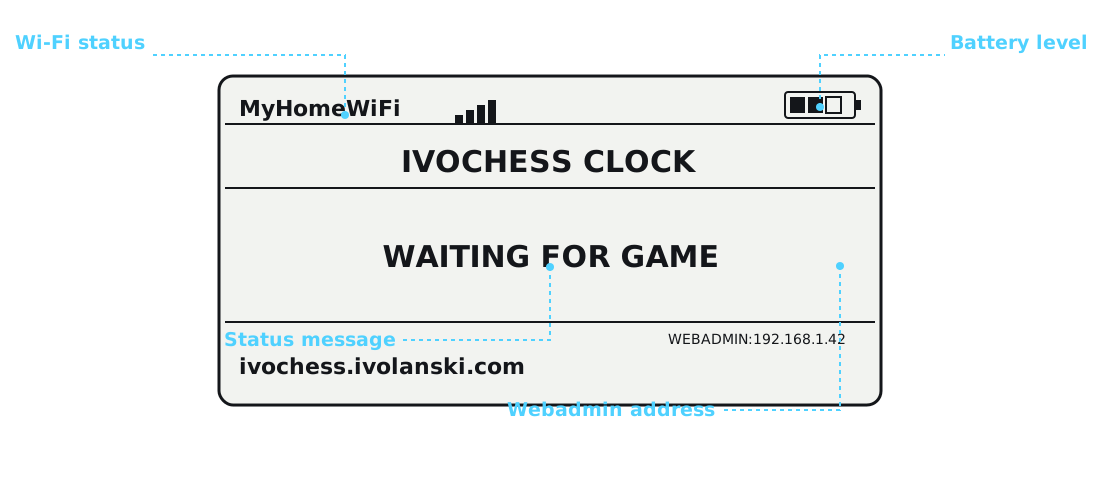
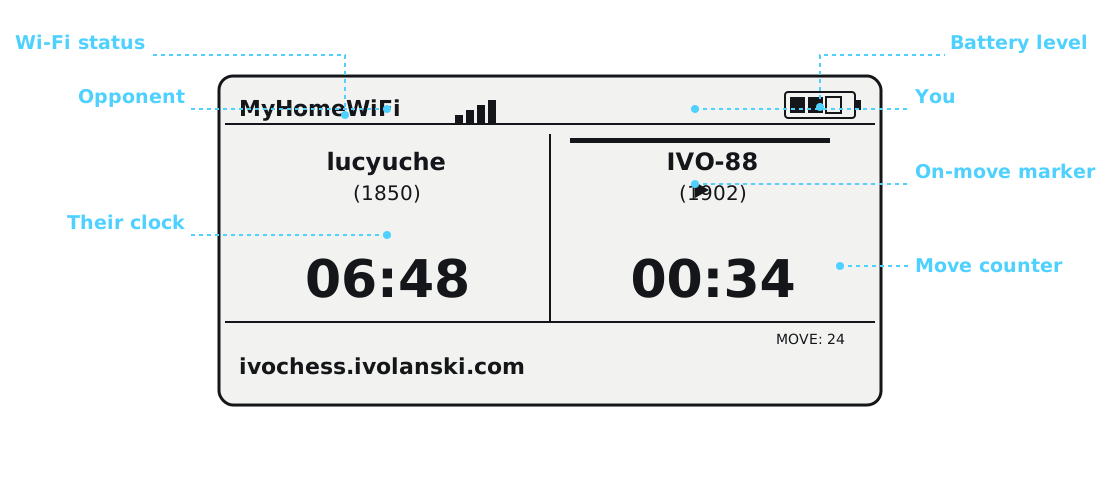
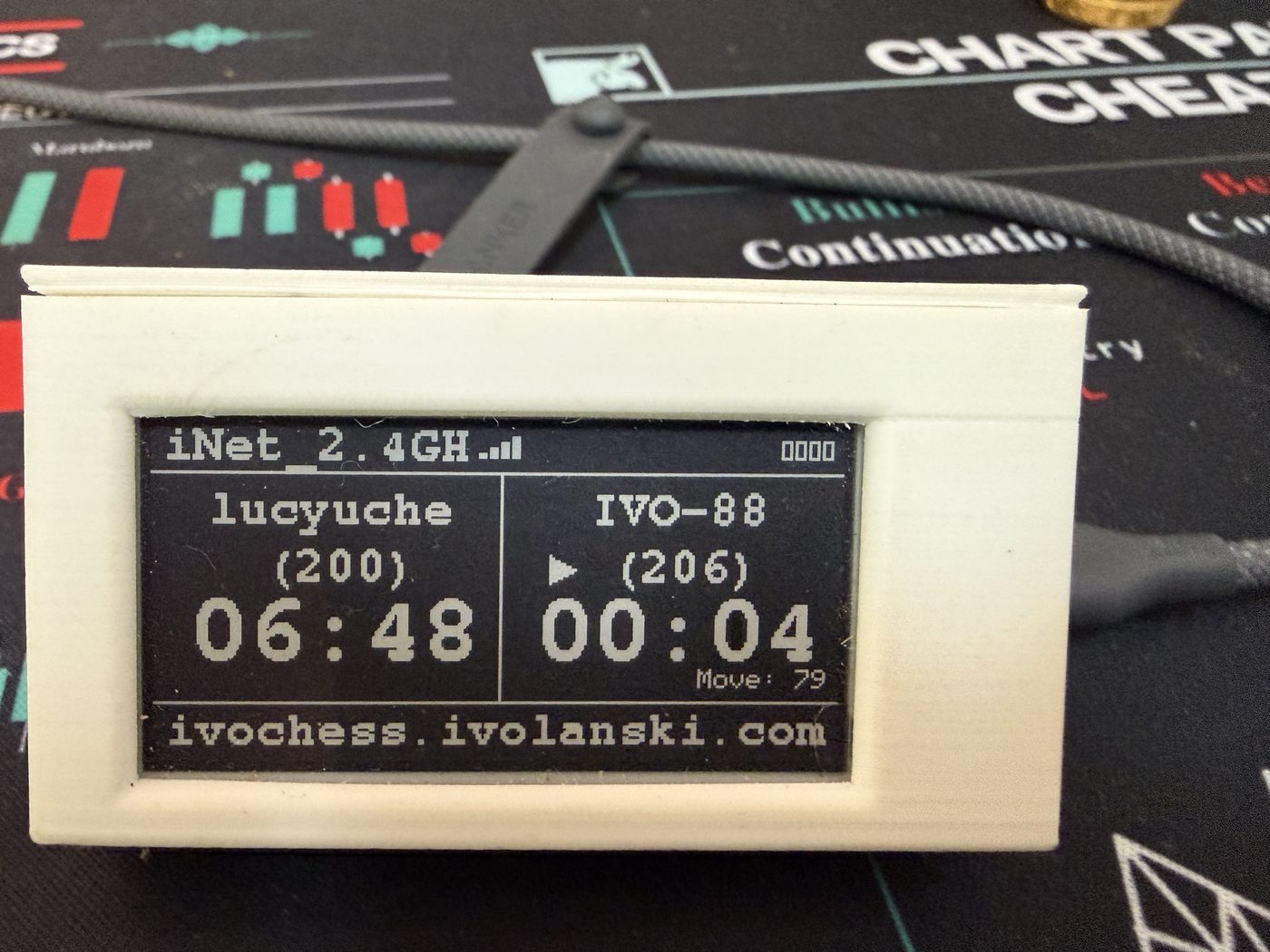
Live game — both clocks, both ratings, move counter.
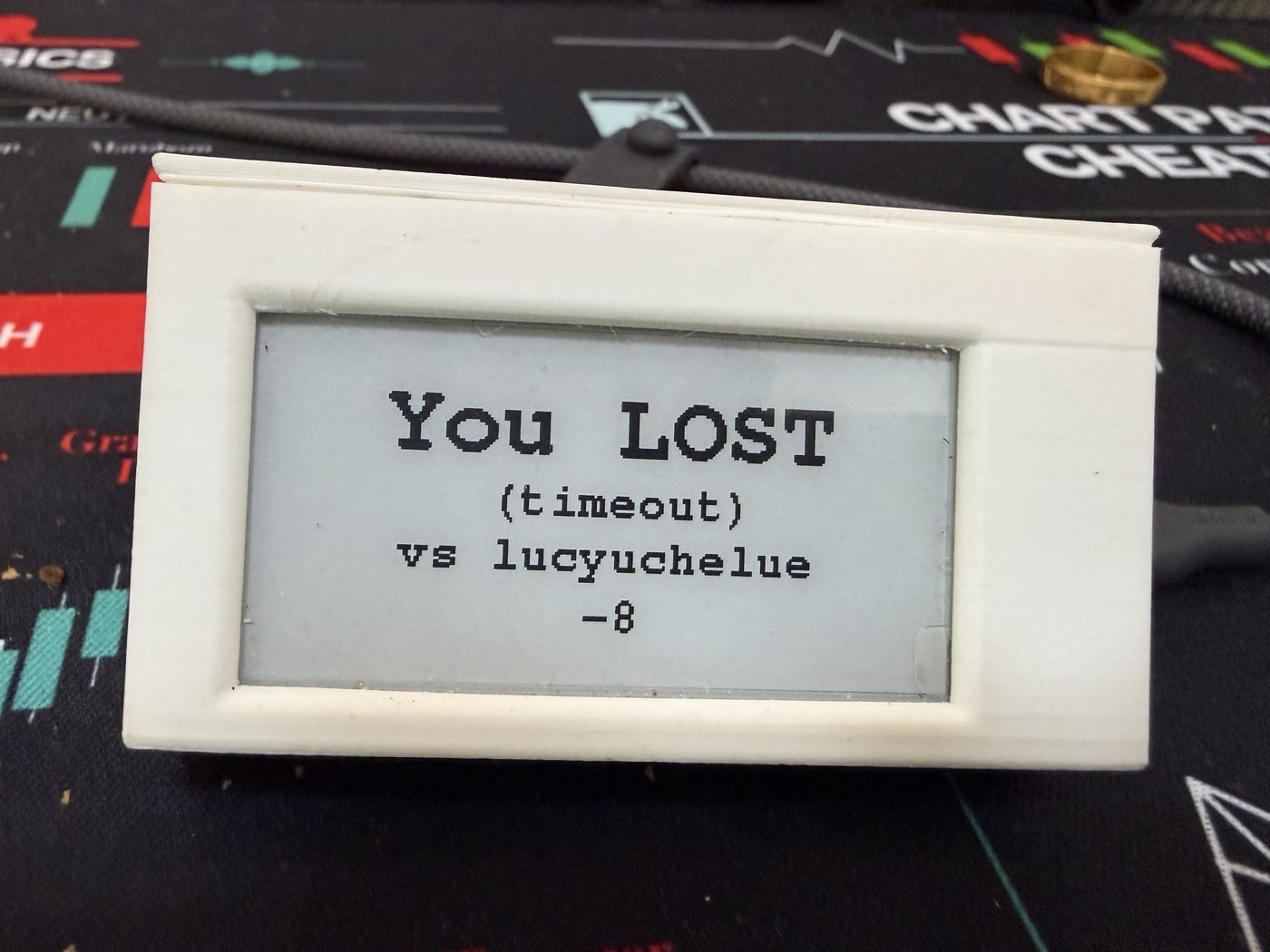
Game over — win, loss, or draw, with the reason and rating change.
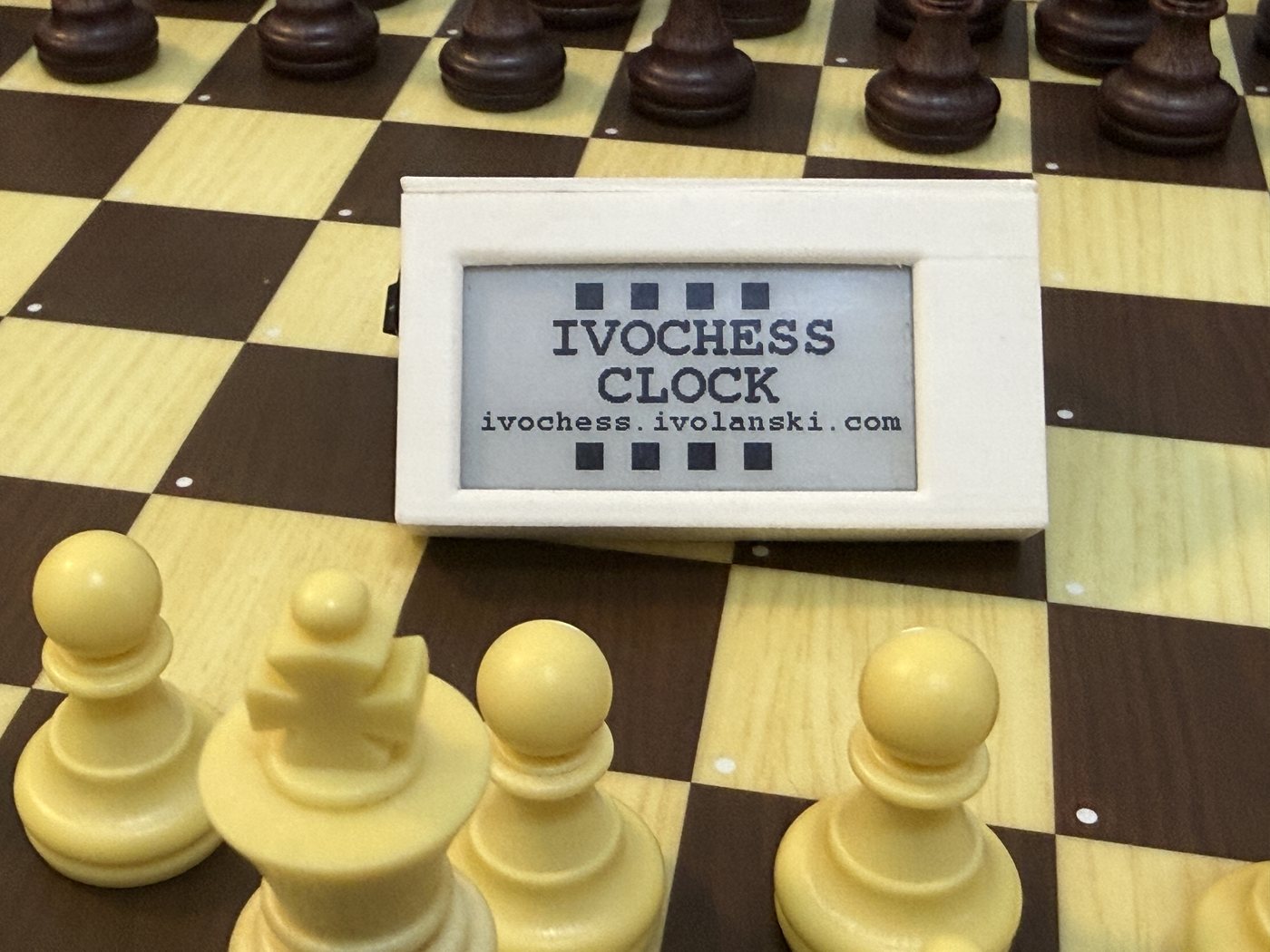
Idle screen — cycles automatically to protect the e-paper panel.
Everything you need is documented here — no guesswork. Pick a starting point:
The full shopping list — every component, with enough detail to buy the exact same parts.
Step 2Display, LEDs, battery, and the power switch — pin by pin, with the exact wiring used.
Step 3The STL file plus print settings and material notes for good LED diffusion.
Step 4Straight from your browser, no software to install — or compile it yourself if you'd rather.
Step 5Chess.com or Lichess — an OAuth login for Lichess, or a safe incognito-window cookie capture for chess.com.
Step 6The webadmin portal, every setting explained, and how the clock behaves day to day.
On first boot, the clock creates its own Wi-Fi hotspot so you can connect it to your network — from there, everything else is one browser page.
| Setup hotspot | IvoChess-Setup |
|---|---|
| Webadmin (default) | ivochess.local |
| Login username | ivochess |
| Login password | checkmate |
Change the webadmin password from the portal itself once you're in — full walkthrough on the daily use & webadmin page.
IvoChess Clock is free and open source, and it takes real time to build and maintain. If it's useful to you and you'd like to help keep it going, a coffee or a small crypto donation is always appreciated.

or donate crypto directly:
Accepts USDT, USDC, ETH, and any other token on any EVM-compatible chain (Ethereum, Base, Arbitrum, BNB Chain, Polygon, and more) — just make sure your wallet is set to the right network before sending.